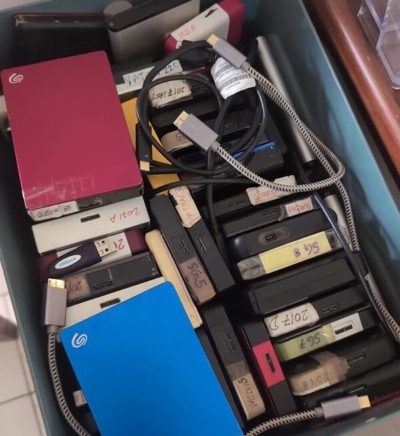
It worked when it was one person's job. Now that person left, the drives are in a cupboard, and someone needs footage from 2023. Good luck. No search. No sharing. No backup plan.
There's a simpler way to store my media library.Long-term media storage at enterprise scale
You bought the hardware. You set up the RAID. You hired someone to maintain it. It still goes down. It still doesn't scale. And nobody outside the office can access it without a VPN that barely works.
There's a simpler way to store my media library.VPN PW:
Admin123!
(changed?)
⚠ VPN_TUNNEL: connection timeout
remote access unavailable
You moved to the cloud to make life easier. Now you're paying per terabyte, costs increase every day, and you still can't find last year's site visit without digging through folders. Migration was supposed to be the hard part. Turns out, staying is harder.
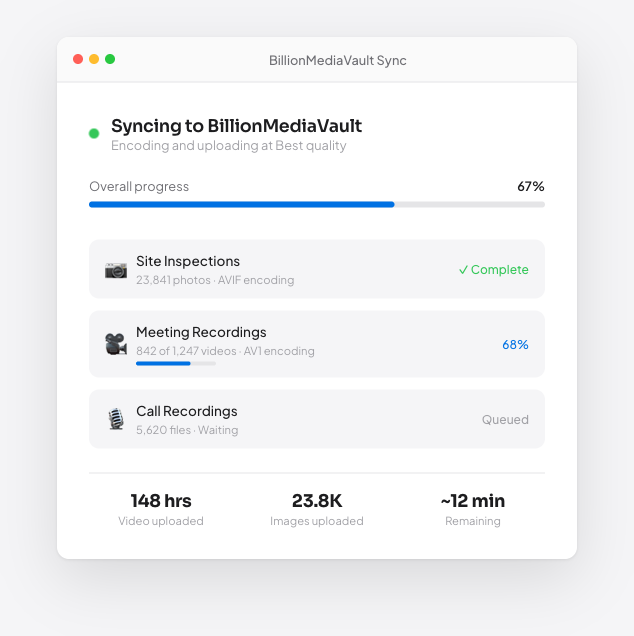
There's a simpler way to store my media library.BillionMediaVault replaces all three. $6/mo. 300 hours. 200 credits. No hardware.
How it works
*We flag any quality issues in your stored copy for manual review. Your raw files are never deleted without your confirmation.
Built for editors.
Export to ProRes or DNxHR from the desktop app, free and unlimited. Your NLE picks up where you left off.
Quality tiers. Pick what fits.
- 300 hrs FHD video per license
- 250,000 images per license (up to 16 MP)
- 8,500 hrs audio per license
- Up to 1080p 60fps
- Visually indistinguishable for most workflows
- FHD - 215 hrs/license
- 4K 60fps - 110 hrs/license
- 4K 120fps - 55 hrs/license
- Export to ProRes (MOV) or DNxHR (MXF) from the desktop app, free and unlimited*
- Cloud exports use credits
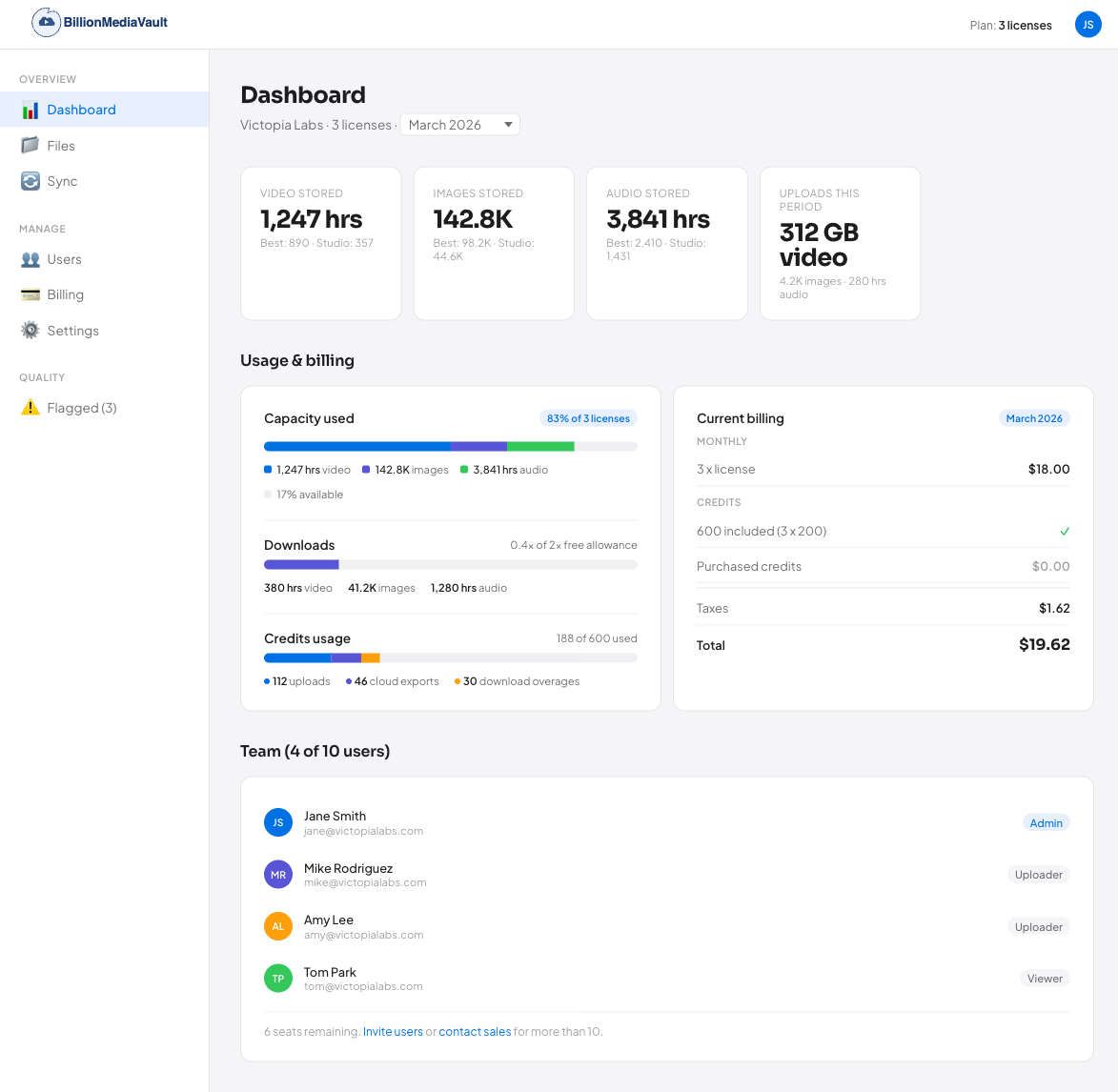
Each license allows your own mix of Best and Studio media. Capacities show maximums when using one quality level exclusively. Every license includes 200 credits per month, cloud integrations, retention locks, and team management. Downloads are free for up to 2x your stored library.
*Desktop exports to ProRes (MOV) or DNxHR (MXF) are free and unlimited. Cloud exports (delivered to OneDrive, Google Drive, Dropbox, or S3) use credits. Uploads use credits based on file size. Embedded in every export: timecode, creation date, frame rate, color metadata, subtitles (SRT, VTT, ASS, PGS), chapter markers, GPS location. Delivered alongside: LUTs (.cube, .3dl) when uploaded with footage.
Need volume pricing? Get in touch.
More storage per license for everyday archiving. Get notified when we launch.
Modern codecs, built to last
Upload most formats. We store it in the right format for each tier, optimized for quality and long-term reliability, or editor-friendly workflows.
- Film & broadcast
- Post-production archives
- Photography studios
- Social media agencies
- Influencers & creators
- Marketing companies
- EdTech companies
- Meeting recordings
- Legal & compliance
- Healthcare documentation
Your data, protected.
Frequently asked questions
How much does BillionMediaVault cost?
$6 per license per month. Each license includes 200 credits for uploads, exports, and download overages.
Best stores 300 hours of Full HD video per license.
Studio embeds timecode, color metadata, subtitles, chapters, and GPS directly in ProRes (MOV) or DNxHR (MXF) exports. LUTs delivered alongside. Desktop exports are free and unlimited. Cloud exports use credits.
Pay annually and get all your credits upfront.
What is the Studio tier and how does it differ from Best?
Studio tier is designed for post-production workflows. It embeds timecode, creation date, color metadata, subtitles, chapters, and GPS directly in exports. LUTs are delivered alongside when uploaded with footage. Desktop exports to ProRes (MOV) or DNxHR (MXF) are free and unlimited. Cloud exports use credits.
Best tier stores more hours per license (300 vs 215 for FHD) but does not preserve production metadata or offer editor-compatible exports.
Are there egress or download fees?
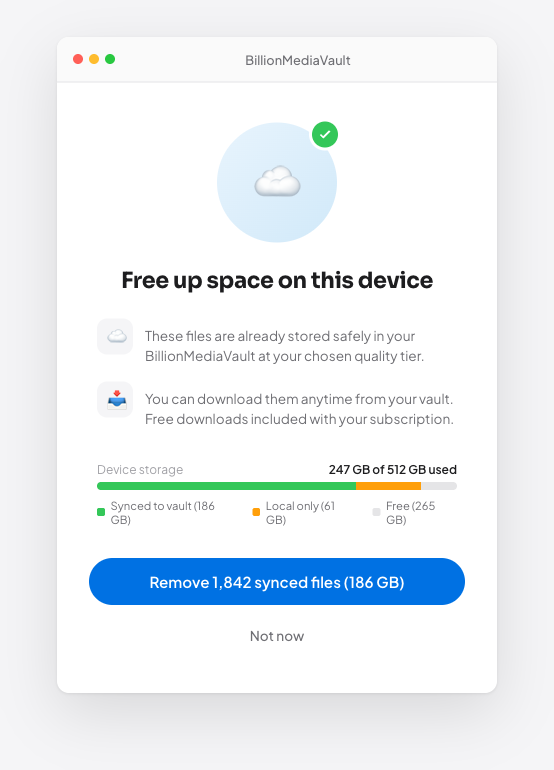
Downloads are free for up to 2x your stored library per month. For example, if you store 300 hours of video, you can download up to 600 hours per month at no extra cost. Beyond that, downloads use credits.
Desktop exports to ProRes or DNxHR are free and unlimited.
Cloud exports (delivered to OneDrive, Google Drive, Dropbox, or S3) use credits.
Uploads use credits based on file size.
Each license includes 200 credits per month. Pay annually and get all your credits upfront.
What are the quality tier differences?
Best
- 300 hours of Full HD video per license
- 250,000 images (up to 16 MP) or 8,500 hours of audio
- Optimized to preserve visual fidelity up to 1080p 60fps
Studio
- FHD (215 hours), 4K 60fps (110 hours), or 4K 120fps (55 hours) per license
- Timecode, creation date, color metadata, subtitles, chapters, and GPS embedded in exports
- LUTs delivered alongside when uploaded with footage
- Desktop exports to ProRes (MOV) or DNxHR (MXF) are free and unlimited
- Cloud exports use credits
What file formats does BillionMediaVault support?
How does the ProRes and DNxHR export work?
Does BillionMediaVault support HDR video?
Yes. Studio tier preserves HDR metadata including HDR10 and HLG at 10-bit color depth. Color primaries, transfer characteristics, and color range are stored at ingest and injected back into ProRes or DNxHR exports.
This covers the standard HDR working precision used in broadcast and streaming. Dolby Vision and 12-bit RAW are not currently supported.
What metadata does BillionMediaVault preserve?
Studio tier embeds the following directly in every export file:
- Timecode and creation date
- Frame rate
- Color metadata (primaries, TRC, color space, color range)
- Subtitles (SRT, VTT, ASS, PGS)
- Chapter markers
- GPS location
LUTs (.cube, .3dl) are preserved and delivered alongside the export when uploaded with footage. Export to ProRes or DNxHR from the desktop app and your NLE picks up where you left off.
What NLEs work with BillionMediaVault Studio exports?
Are desktop exports to ProRes or DNxHR really free?
How do I use LUTs from a BillionMediaVault export?
When you upload footage with LUT files (.cube or .3dl), we store them alongside your media. When you export to ProRes or DNxHR, the LUT files are delivered in the same folder as your export.
DaVinci Resolve: Open the Color page, right-click a node, and choose 3D LUT > Browse to select the file.
Premiere Pro: Add the Lumetri Color effect, open Creative, and click Browse under Look.
Final Cut Pro: Open the Inspector, click the Color tab, and choose Custom LUT.
The LUT is not baked into the export. You apply it in your NLE so you keep full control over the grade.
What is included in a BillionMediaVault license?
Each license is $6 per month and allows your own mix of Best and Studio media. 200 credits included.
Best: up to 300 hours of Full HD video, 250,000 images (up to 16 MP), or 8,500 hours of audio.
Studio: FHD (215 hours), 4K 60fps (110 hours), or 4K 120fps (55 hours) with metadata preservation and on-demand export to ProRes or DNxHR.
Credits cover uploads, cloud exports, and download overages. Downloads are free for up to 2x your stored library. All licenses include cloud integrations, retention locks, and team management.
How does the pricing calculator work?
What happens when I need more storage on BillionMediaVault?
How many users can access a BillionMediaVault license?
Can I migrate from AWS S3 or Backblaze B2?
What cloud integrations does BillionMediaVault support?
How does BillionMediaVault compare to OneDrive, Google Drive, or SharePoint?
How do retention locks work?
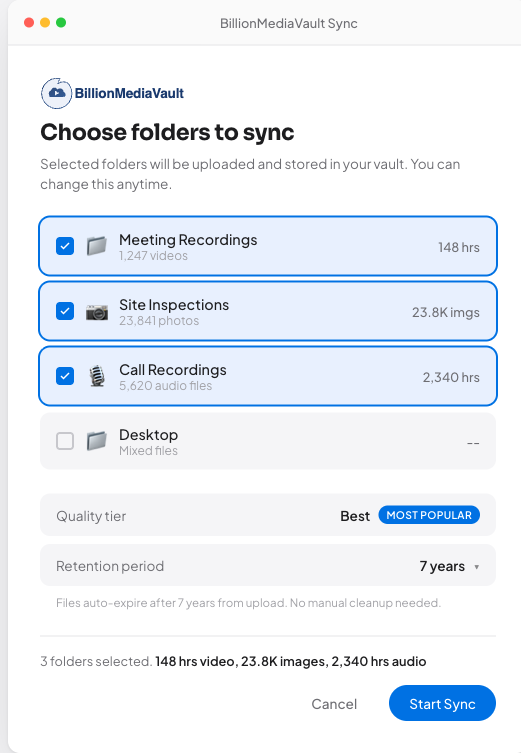
- Set a retention period when syncing from desktop or cloud sources
- Files stay available for the full duration from upload
- Admins see a warning before deleting files under a hold period
- After the retention period, files auto-expire. No manual cleanup needed
Retention locks are included with every license.
Is BillionMediaVault compliant for regulated industries?
Can I get an audit log of file access?
What industries use BillionMediaVault?
Is there a free trial?
Get in touch
Tell us about your media library needs. We respond within 24 hours.